Plus AI for Presentation Review: Is It Really Worth It in 2025?
Making slides can feel boring and time-consuming, especially if you are creating regularly or periodically. Recently, I’ve been facing this issue. To make this task quick and efficient, I researched many automated solutions, and among them, I found that Plus AI help me finish a presentation faster.
But how? I used Plus AI for free to try its performance and reliability. After some time, I realised this is one of the best solutions. Now, I’m using its full version, which is quite cost-effective.
In this review, I share:
- What I found
- What I liked
- What I didn’t
So, if you’re looking for a clear overview of this solution, then by the end of the discussion, you will have all your answers. First, let me provide an overview.
What is Plus AI?
Plus AI is an AI-powered presentation maker designed to help those users who need to create professional slides automatically from start to end. It makes and exports slides in Google Slides, Microsoft PowerPoint, and other preferred formats in seconds. This means you can access those AI-generated slides within the desired platform.

With this:
- You don’t move to a new platform.
- You don’t learn a new tool.
- Just install the add-on and start building decks with AI support.
Further,
My First Impression After Using Plus AI
The first thing I noticed? Plus AI opens as a sidebar within Google Slides. I didn’t feel like I was jumping between tools or copying/pasting content across platforms, as it integrated with any presentation platform hassle-free.
I’ll tell you about my first PPT with this. So, I typed a prompt, “Create a startup deck for an AI productivity tool”, and it instantly:
- Created a full outline
- Divide relevant content into each slide, which looks professional and engaging
- Added design structure
- Suggested visuals
Honestly, it created a PPT within 40 seconds, which is more than perfect, even though I’m not expecting that level of perfection. Moreover, the resultant PPT does not need to be modified further.
Core Features: What Plus AI Does Well
Here are its salient features that I found while working on it, i.e.
#1. Turn Prompts or Documents into Slides
Type a short prompt like “Explain how SharePoint is different from OneDrive,” and Plus AI creates a ready-to-use slide within seconds. Additionally, one can upload a PDF, Word file, or text file to get more precise results.
#2. Easy Slide Editing
After Plus AI creates the slides, use the Rewrite option to change the tone, make the points clearer, or modify anything else you want to. This option is helpful when you need to enhance the slides as desired.
#3. Image and Visual Creation
It can generate images based on your prompt or a selected style. Additionally, one can create icons, charts, and graphs via this.
#4. Branding and Templates
If you’re working in a team, you can upload your brand logo, colors, and fonts. Plus AI then uses these in all the slides.
#5. Works in Many Languages
Plus AI supports almost any language. You can create or edit slides in your preferred language, which helps your users to understand what you are trying to explain. Creating a PPT for users' language positively impacts users.
#6. Security for Businesses
For companies, Plus AI supports strong security standards like SOC 2 Type II. All data is encrypted, so you don’t need to worry if you uploaded your confidential data to it.
#7. Free Trial
Plus AI offers a 7-day free trial. You can try everything and cancel anytime.
Pricing & Plans
Plus AI comes with a 7-day trial plan in which you can see its performance. If you’re enjoying this and satisfied with its advanced features and quick results, then you can take:
- Their paid plan starts at $10/month for the Basic Plan.
- For enterprise or team users, there are “Plus AI for Teams” options: shared libraries, custom branding, etc, for $20 (Pro Plan).
- For robust security and more customizable templates, opt for $30 Team Plan.
Plus AI Pricing

How I Created a Deck Using Plus AI Step-by-Step
After selecting any plan, follow these step-by-step instructions to create a ready-to-use PPT, or Google Slides effortlessly:
#Step 1: Install Plus AI in Google Slides
- Open Google Slides.
- Then click on Add-ons > Get Add-ons.
- Afterwards, search for Plus AI > installed.
#Step 2: Open the Plus AI Sidebar
After installation:
- Click Extensions
- Select Plus AI > Open in Sidebar
#Step 3: Give Plus AI Prompt
Now, write a prompt like:
“Create a startup pitch deck for a productivity AI tool.”
Plus AI instantly generated:
- Title slide
- Problem statement
- Solution
- Product features
- Business model
- Market opportunity
- Competitive landscape
- Roadmap
- Team slide
#Step 4: Remix Slide Layouts
Click Remix Layout on a few slides. This shows 5–10 design variations:
- Icon-based
- Visual-first
- Two-column
- Centered minimalist
- Timeline layouts
Pick a clean layout that fits your brand style.
#Step 5. Add AI Images & Icons
Click Insert AI Image and generate:
- Product mockups
- Illustrations
- Concept visuals
Once done, download the deck as PPTX.
So, within five steps, one can create a professional, ready-to-use slide in seconds.
Comparison with Other AI Presentation Tools
I tested not only Plus AI, but also other online solutions. Here’s why MagicSlides clearly stands out above all, especially compared to Plus AI:
- MagicSlides.app delivers more accurate slides, better layouts, and stronger AI understanding of context than Plus AI. It also offers powerful tools like YouTube-to-PPT, AI Summarizer, and auto-design enhancements, features that Plus AI simply doesn’t match. The output usually needs far fewer edits, making it faster and more reliable for real-world work.
- Prezi looks cool with its zoom effects, but not everyone likes that format. It also takes time to learn. Comparatively, Plus AI feels easier because it works with the tools you already know, such as Microsoft PowerPoint.
- Canva has good templates, but its AI slide maker is still basic. But with Plus AI, the first version of the slides is usually better and needs fewer changes.
Limitations and Areas for Improvement for Plus AI→
No doubt, this is the up-to-the-mark solution, but in some cases, I found it lacks:
- Plus AI does offer branded templates, but full customisation requires a higher plan.
- Most slides it creates are good, but for detailed or tricky topics, I still have to fix or polish parts of the content.
- Sometimes the slide design feels too basic, and I had to adjust it according to my requirements.
Although these drawbacks are not major, in some specific situations, they can create major drawbacks for users. So, that’s why I suggest trying the solution below for free.
MagicSlides – An Alternative to Plus AI→

While Plus AI is a powerful tool, it is not the only AI-powered presentation generator available. MagicSlides.app is another excellent alternative that offers a cost-effective and feature-rich solution.
With its AI-powered solution, it enables users to:
and many more.
How to Use MagicSlides.app to Create AI Presentations?→
Creating an AI-powered presentation using MagicSlides.app is simple and efficient. Follow these steps
- Visit MagicSlides.app.

- Enter your topic in the provided space.
.png?table=block&id=1bb43bee-0072-80c7-a1d5-f2b559b7390e&cache=v2)
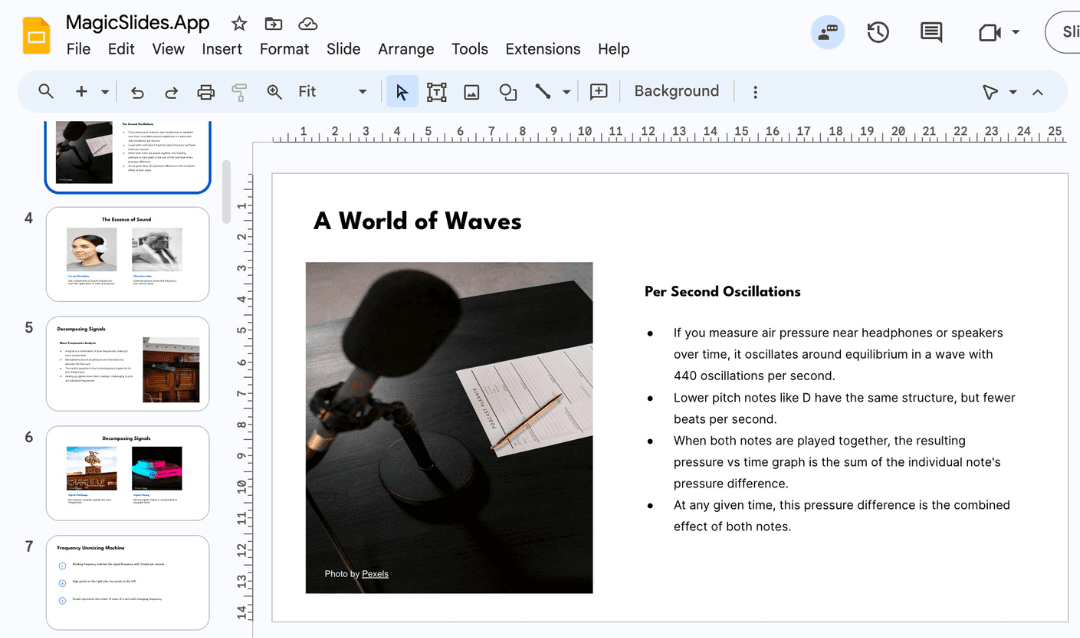
- Click "Generate Instant PPT" to let the AI create a presentation.
.png?table=block&id=1bb43bee-0072-804b-b665-d5c38bf526c9&cache=v2)
- Choose your template and the number of slides as prompted. Fill in any additional details required to customize the presentation.
.png?table=block&id=1bb43bee-0072-8091-8fc1-f70422a2046e&cache=v2)
- Click "Generate Instant PPT" once all details are entered.
.png?table=block&id=1bb43bee-0072-803b-b39e-f50ead978d2a&cache=v2)
- Your AI-generated PPT will be ready to download and edit.
.png?table=block&id=1bb43bee-0072-809e-b34b-c4ee4aed65e9&cache=v2)
Did you know? Now you can also edit your presentations directly in Magicslides. So, no back and forth to Google Slides, PowerPoint, and around.

MagicSlides App Pricing→→
MagicSlides.app offers multiple pricing plans to accommodate different needs:
.png?table=block&id=1bb43bee-0072-8076-b4be-fd43eb2f48b4&cache=v2)
Plan | Monthly Price (Billed Annually) | Features |
Essential | $6.7/month ($80/year) | 10 presentations/month, 12,000 character limit, up to 10 slides per presentation, 5 PDF pages |
Pro | $12.4/month ($149/year) | 50 presentations/month, 12,000 character limit, up to 15 slides per presentation, AI images included, 5 PDF pages |
Premium | Custom Pricing | Unlimited presentations, 100,000 character input, up to 50 slides per presentation, AI images, Zapier integration, and advanced features |
With its affordable pricing and rich set of features, MagicSlides.app is a compelling alternative to Plus AI.
Comparison: Plus AI vs. MagicSlides.app→→
Feature Comparison
Feature | Plus AI | MagicSlides.app |
AI-Powered Slide Generation | ✅ Yes | ✅ Yes |
Integration with Google Slides & PowerPoint | ✅ Yes | ✅ Yes |
Custom Templates | ✅ Yes | ✅ Yes |
File Upload for Slide Generation | ✅ Yes (PDF, Word, PPT) | ✅ Yes (PDF, Word, PPT) |
AI Image Generation | ✅ Yes (Pro & Premium) | ✅ Yes (Free, Pro & Premium) |
Character Input Limit | 12,000 – 100,000 | 12,000 – 100,000 |
Zapier Integration | ✅ Yes | ✅ Yes |
Video-to-PPT Conversion | ✅ Yes (up to 1 hour) | ✅ Yes (up to 1 hour) |
Slides Per Presentation | 10 – 15 | 10 – 50 |
100+ Language Support | ✅ Yes | ✅ Yes |
Pricing (Annually Billed) | Starts at $20/month | Starts at $6.7/month |
While Plus AI and MagicSlides.app offer similar features, MagicSlides.app is a more affordable alternative with robust features.
MagicSlides Customer Reviews→→

Plus AI Customer Reviews→→

User Feedback & Criticism→→
These are some random users' feedback, which I pulled out from Trustpilot and Reddit, as these are genuine platforms for user reviews:
- On Trustpilot, Plus AI has a score (4.5/5), with users appreciating:
- Cost-effective subscriptions.
- 24/7 customer support, especially when trying to cancel free trials.
- The quality of slide generation is consistent.
- On Reddit, users also see the value:
“Plus AI … I rarely have to do a lot of edits afterwards. It does a wonderful job following instructions.”
And another noted:
“What used to take me hours takes ~20 min now. And that’s if I need to make edits.” Reddit
Conclusion→→
AI-powered presentation maker tools like Plus AI and MagicSlides.app have changed the way professionals create slides, making the process faster and more efficient.
If you’re looking for a powerful yet cost-effective solution, MagicSlides.app is an excellent alternative to Plus AI. With affordable pricing, AI-powered slide generation, and advanced features, MagicSlides.app offers everything you need to create professional presentations effortlessly.
Frequently Asked Questions (FAQ)→→
Q1. Is Plus AI free?
Plus AI offers a 7-day free trial. After that, you need a subscription. Pricing varies depending on individual vs team plans.
Q2. Does Plus AI support custom branding?
Yes. You can upload:
- Brand colors
- Fonts
- Templates
Plus AI will generate slides that follow your brand guidelines.
Q3. Does it work well with PowerPoint?
It works, but the Google Slides integration is smoother and more powerful.
Q4. Does Plus AI generate images?
Yes, everything from icons to AI visuals to editable charts.
Create PPT using AI
Just Enter Topic, Youtube URL, PDF, or Text to get a beautiful PPT in seconds. Use the bulb for AI suggestions.
character count: 0/ 6000 (we can fetch data from google)
upload pdf, docx, .png
less than 2 min